
How to scrape efficiently hundreds or thousands of webpages using Amapulse
Google Sheets is a powerful tool for data manipulation, but it does have some limitations when it comes to web scraping. Users can run a maximum of 30 functions in parallel, and there is a request limit per user (20,000 or 100,000 per day, depending on whether you have a free or paid Google account).
Despite these limitations, we have some effective strategies to achieve mass webscraping with Amapulse (formerly ImportFromWeb), allowing you to collect data from a large number of webpages efficiently.
1. Group multiple selectors within the same function
To streamline the scraping process, group multiple selectors within a single =AMAPULSE() function. By doing so, you reduce the number of functions running in parallel and optimize the data retrieval.
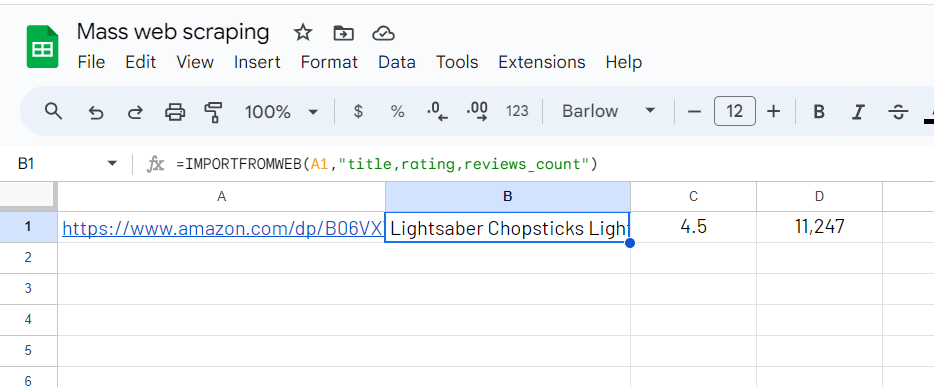
This approach enables you to fetch data from multiple elements of the same webpage simultaneously, increasing the efficiency of your scraping operations.
2. Group the URLs and apply the =AMAPULSE() function every 50 rows
Another way to enhance webscraping is to group the URLs and apply the =AMAPULSE() function to every 50 rows. Grouping URLs helps avoid exceeding the maximum function limit and reduces potential slowdowns caused by running too many functions simultaneously.
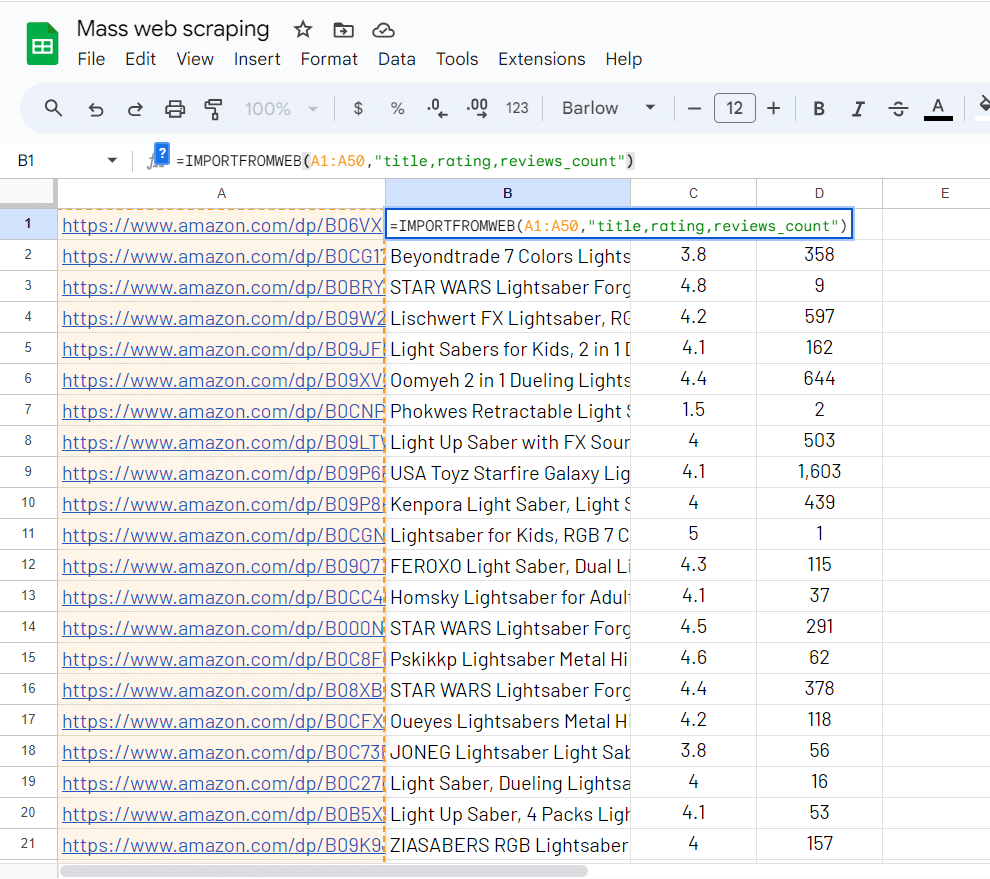
This technique ensures a smooth and efficient scraping experience, allowing you to gather data from a high volume of webpages without encountering performance issues.
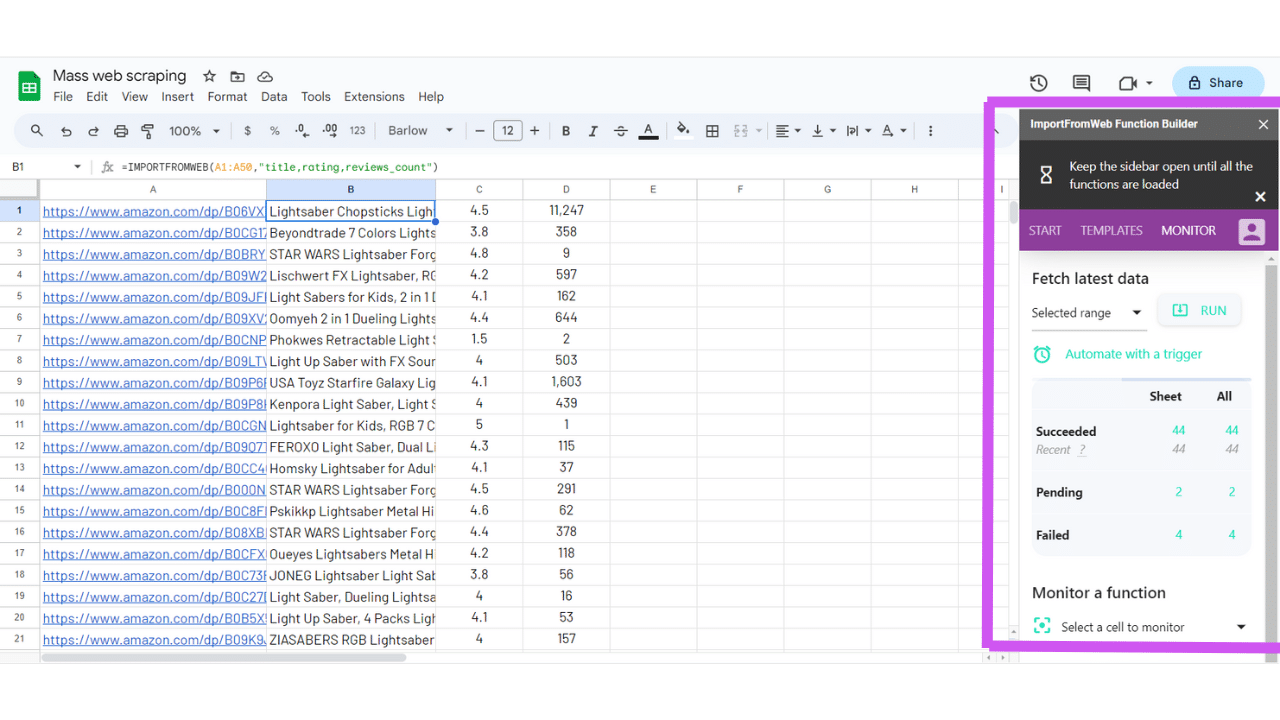
Keeping the Amapulse sidebar open during the scraping process is crucial. The sidebar serves as the control center for Amapulse, allowing you to monitor and manage your web scraping tasks effectively.
3. Always keep the Amapulse sidebar open
Leaving the sidebar open ensures that Amapulse continues to operate efficiently and that you have real-time access to valuable insights about your scraping activities.
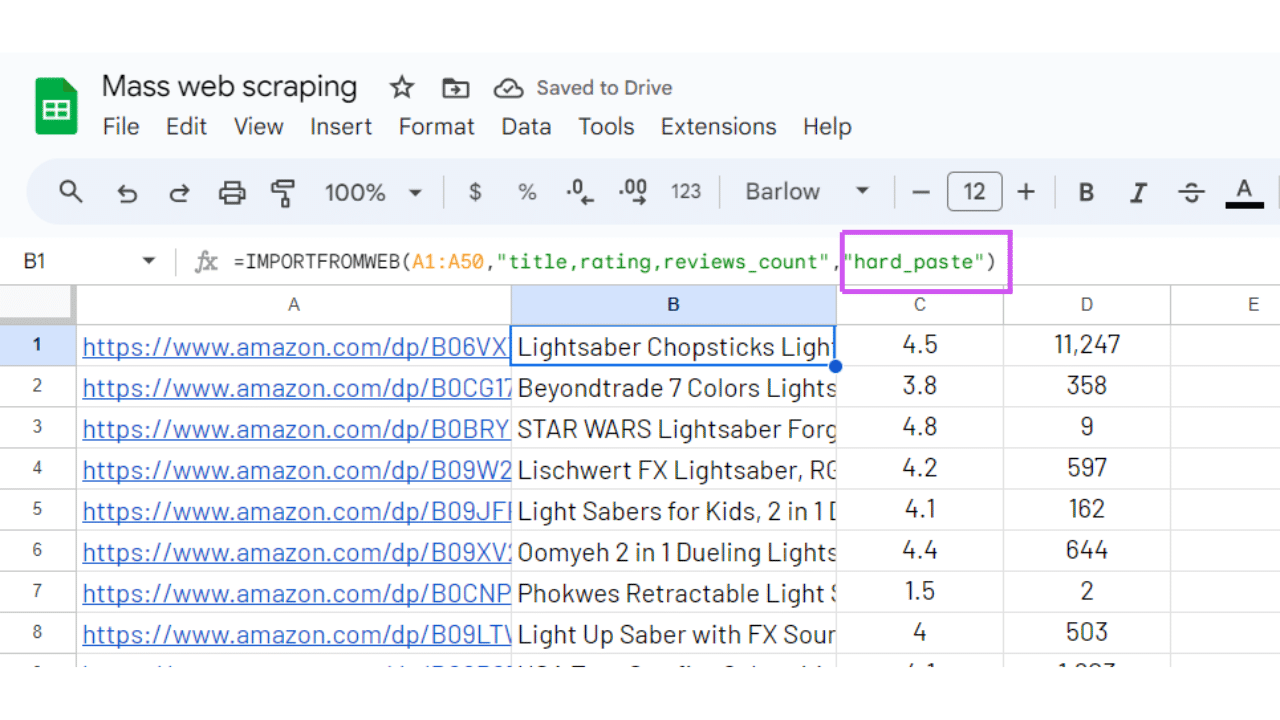
4. Use the hard_paste option to avoid unnecessary recalculations
To maximize efficiency and avoid redundant calculations triggered by Google Sheets, consider using the hard_paste option. This option replaces the =AMAPULSE() functions with the collected values, converting them into static data. By hard-pasting the data, you eliminate the need for continuous recalculation, optimizing your scraping performance.
By following these tips, you can optimize your web scraping workflow and collect data from a substantial number of webpages with ease. While there is a daily limit (3,000 requests), Amapulse empowers you to make the most of this capacity, providing a high-quality and efficient web scraping experience.